
The whole Moog Messenger — on screen and in your project
WATMAN Messenger Control turns the hardware Messenger into a DAW instrument: the whole panel, hidden settings, a 64-step sequencer, presets and the synth's memory — in one window, with two-way sync.
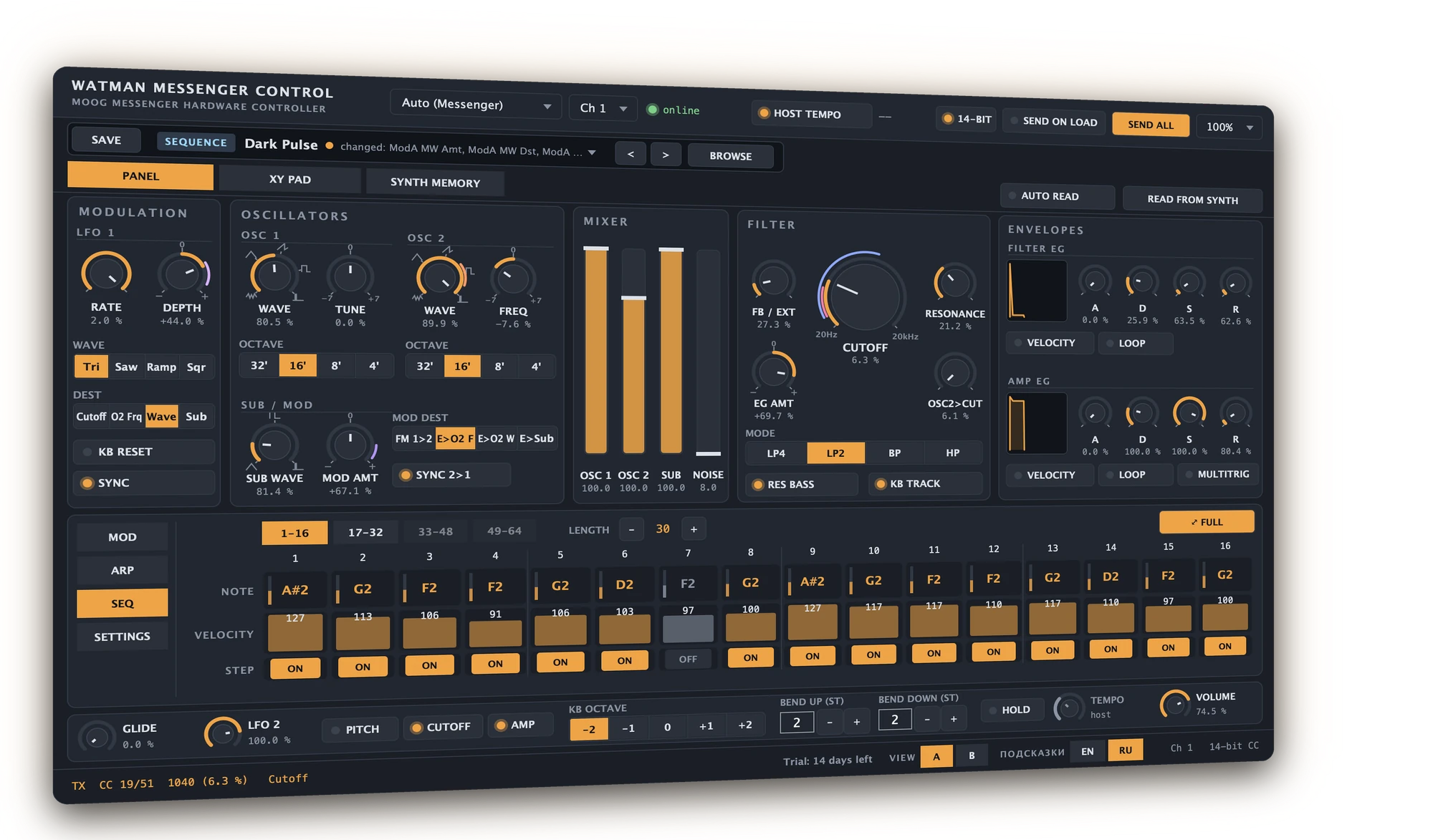
A synth that remembers your project
A plain MIDI track plays notes but barely controls the sound. The Moog editor lives in its own window and knows nothing about your project. WMC links the Messenger and your DAW as if it were a software instrument.
MIDI track
Notes from keys and clipsKnobs as CC numbers, no namesNo arpeggiator or Mod AssignNo sequencer or presetsThe project does not remember the sound You can play, but hardly controlMoog editor
All parameters and a libraryA window next to the DAW, not in the trackNo automationThe sound is not stored in the projectNo notes or MPE Good for preparing soundsWATMAN Messenger Control
103 named parameters — automation and MIDI controllersA knob on the synth → an automation laneSound and sequence are stored in the projectSequencer, library, the synth's memoryMPE and playing the sound from the trackpad The Messenger works as a DAW instrumentThe whole panel on screen
Every Messenger knob is a plugin parameter with a clear name. 14-bit MIDI CC — no stepping.
Two-way sync
Turn a knob on the synth — the value arrives in the plugin and the move is recorded to the track.
Hidden things at hand
Arpeggiator, Mod Assign and settings without menus and long presses.
64-step sequencer
Notes, velocity, modulation, probabilities. Drag a clip to the DAW.
A library where you find things
Categories, character, colours, tags, similar sounds and history.
Memory without fear
256 named slots. A snapshot before writing, a check after.
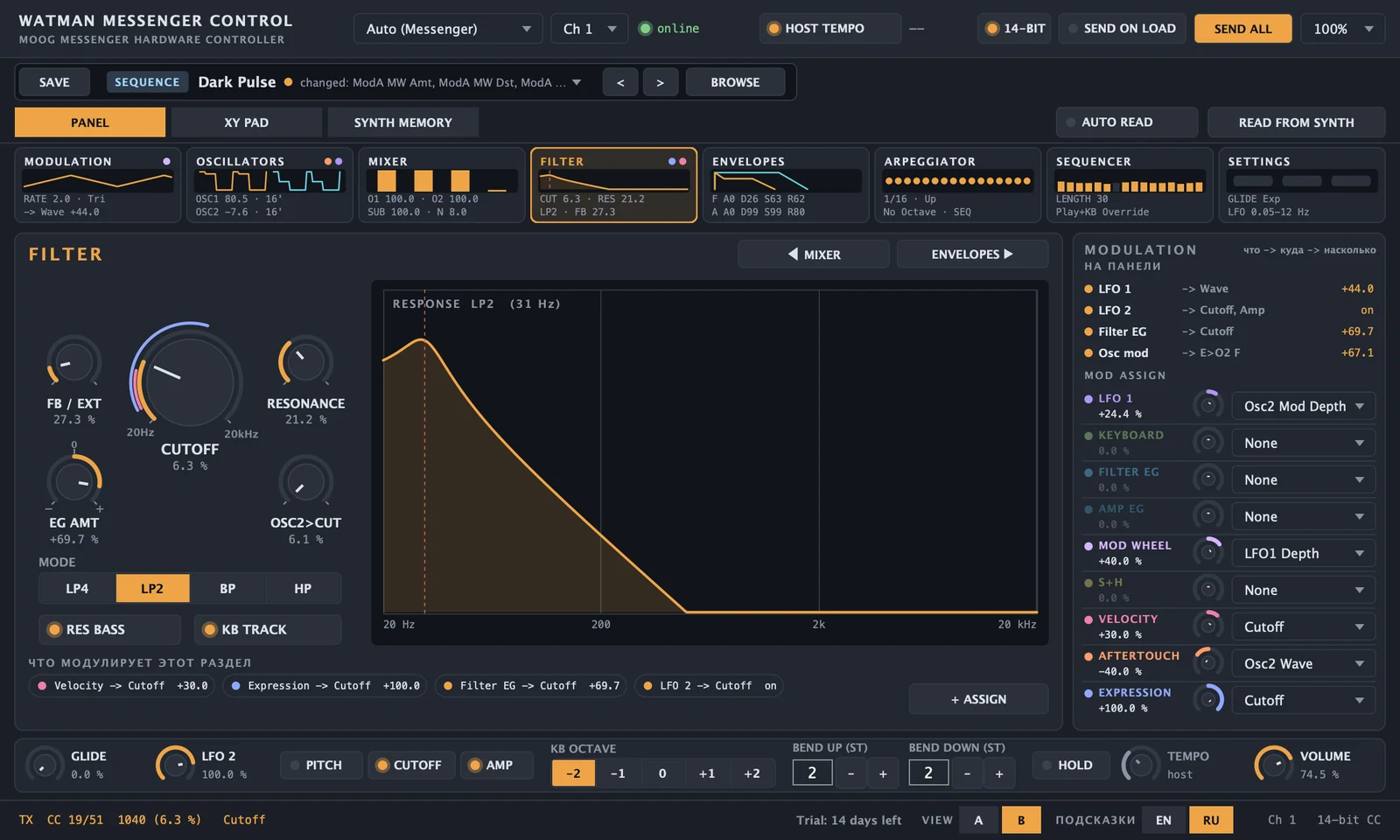
One section, large. And you see how it sounds
Filter response, waveforms, envelopes and LFOs are drawn from the live knob values. Modulation takes two clicks: source → destination right from the section.
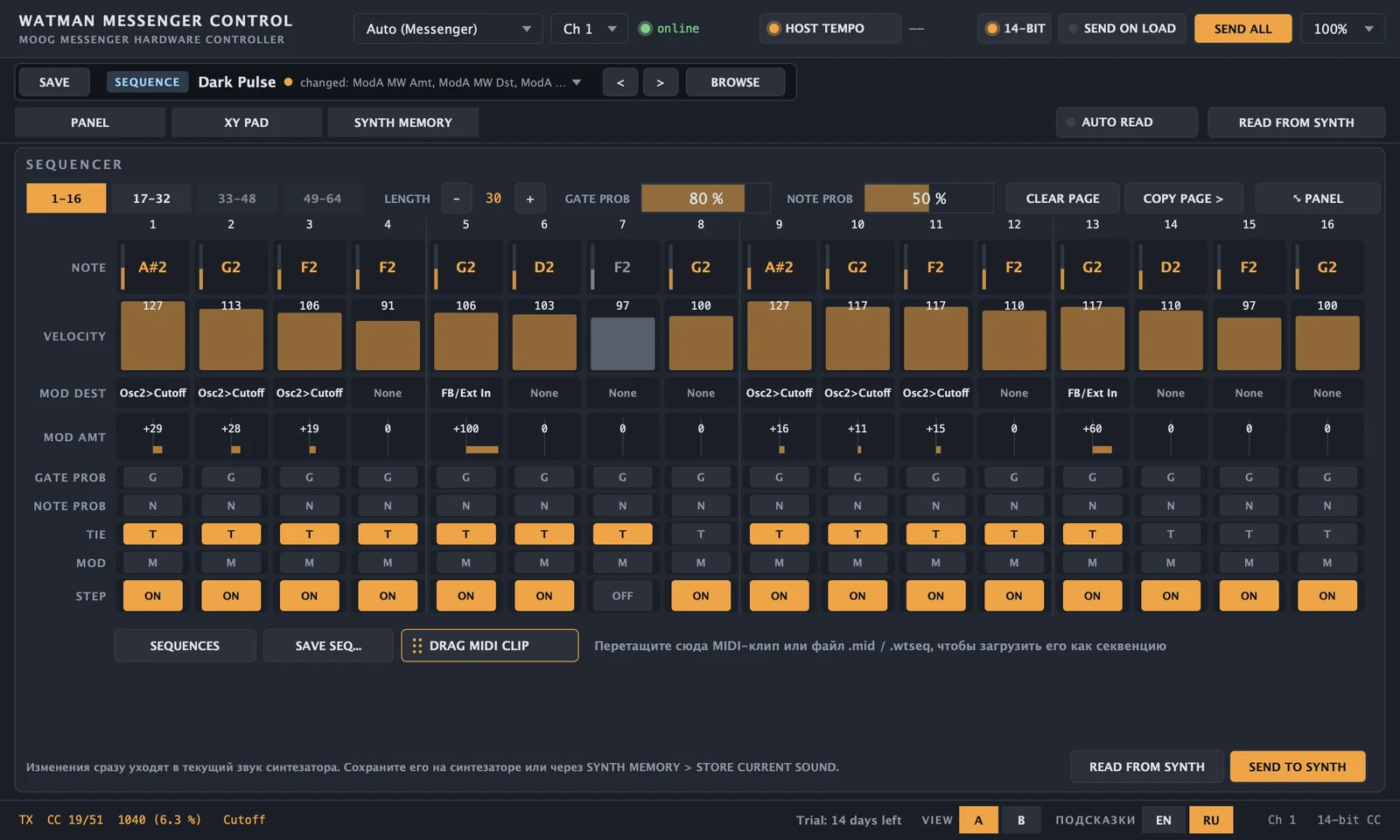
64 steps on screen — and straight into the track
- Write with the mouse: drag notes, draw velocity, paint steps.
- Step and note probability — the sequence never repeats word for word.
- Sequence → MIDI clip and clip → sequence by drag and drop.
- Stored in the project: open it and the synth gets its sequence back.
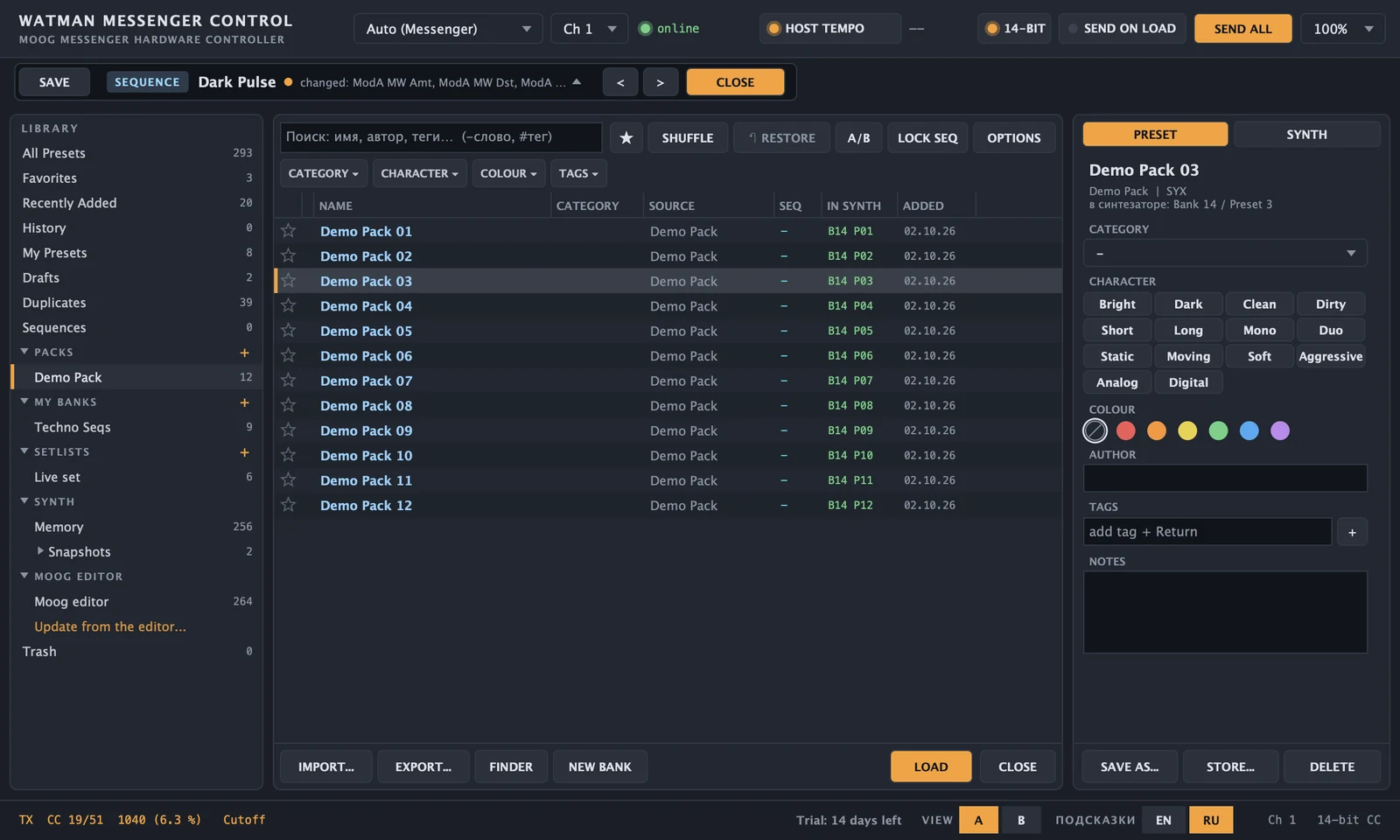
A library where everything can be found
Your sounds, artist packs, Moog editor presets and the synth's own memory — in one browser. 256 named slots; writing happens only on your command, with a snapshot and a check.
Install it and work without limits
The trial starts on first launch and needs no account. When you are ready, buy a license, add your computer in your account and load the license file into the plugin. No internet connection is needed for it.
WATMAN Messenger Control
- VST3, AU and the standalone app — one license for all three
- Up to 3 computers of your own
- Works offline: a signed license file, no online check
- All updates of version 1.x
one-time purchase · 3 computers
Charged in roubles: 3 900 ₽. Your card's bank converts it to your currency.
Try first: the plugin works fully for 14 days without an account.