
Everything the Messenger can do — visible and at hand
Six parts of one instrument: the sound panel, the Focus view, the sequencer, the preset library, the synth's memory and playing in the studio.
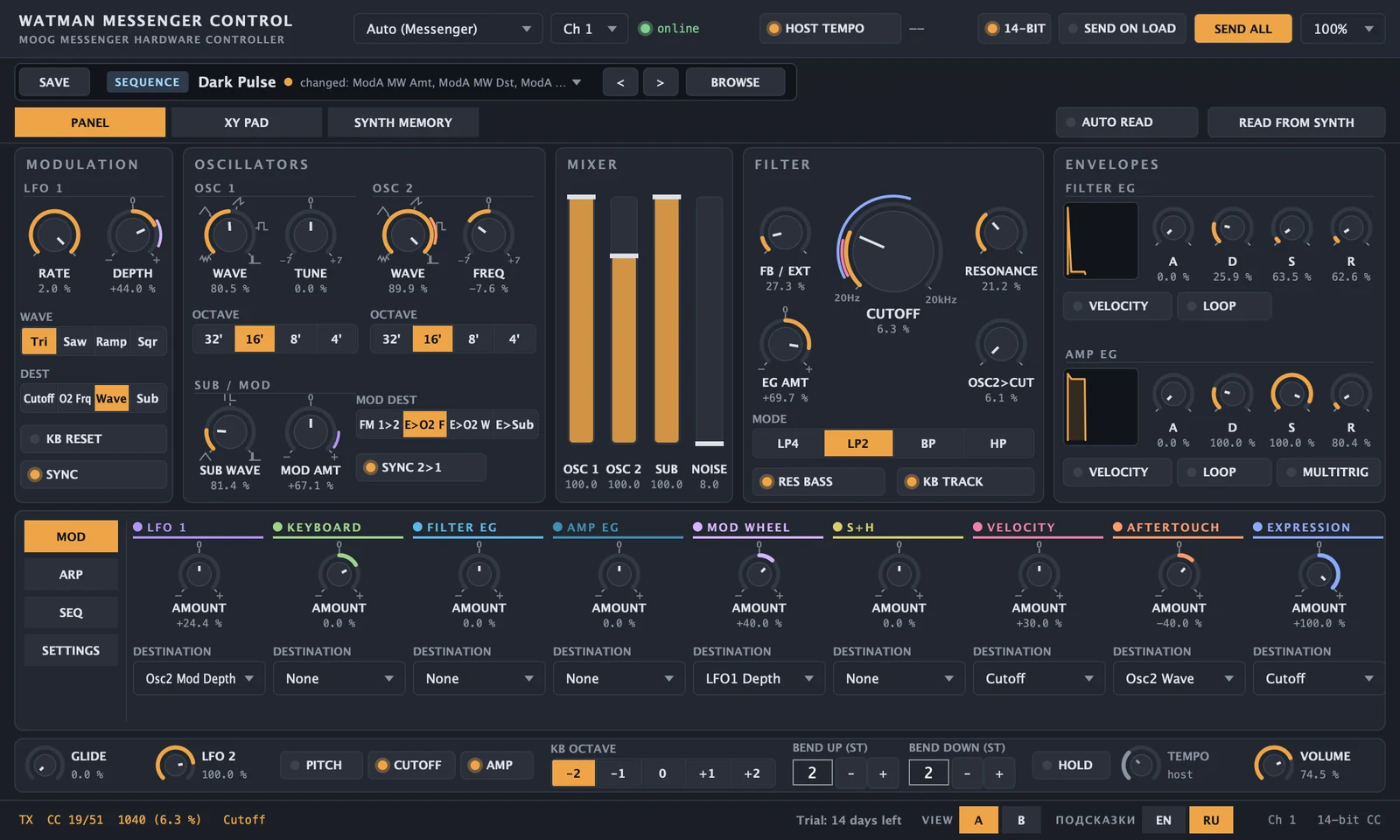
A panel like the Messenger's. Only everything is visible
Sections run left to right, the way sound flows through the synth. What the Messenger hides in menus is right here, on one page.
- Signal path. Modulation, oscillators, mixer, filter, envelopes — as on the panel.
- Modulation shown on the knobs. Coloured rings show which source goes where, and how much.
- Lower pane. Mod Assign, arpeggiator, sequencer and hidden settings — one click away.
- Performance strip. Glide, LFO 2, octave, bend, hold, tempo and volume — always at the bottom.
- Precise and smooth. 14-bit MIDI CC — no stepping, just like on the synth.
- Tips on every control, in English and Russian.
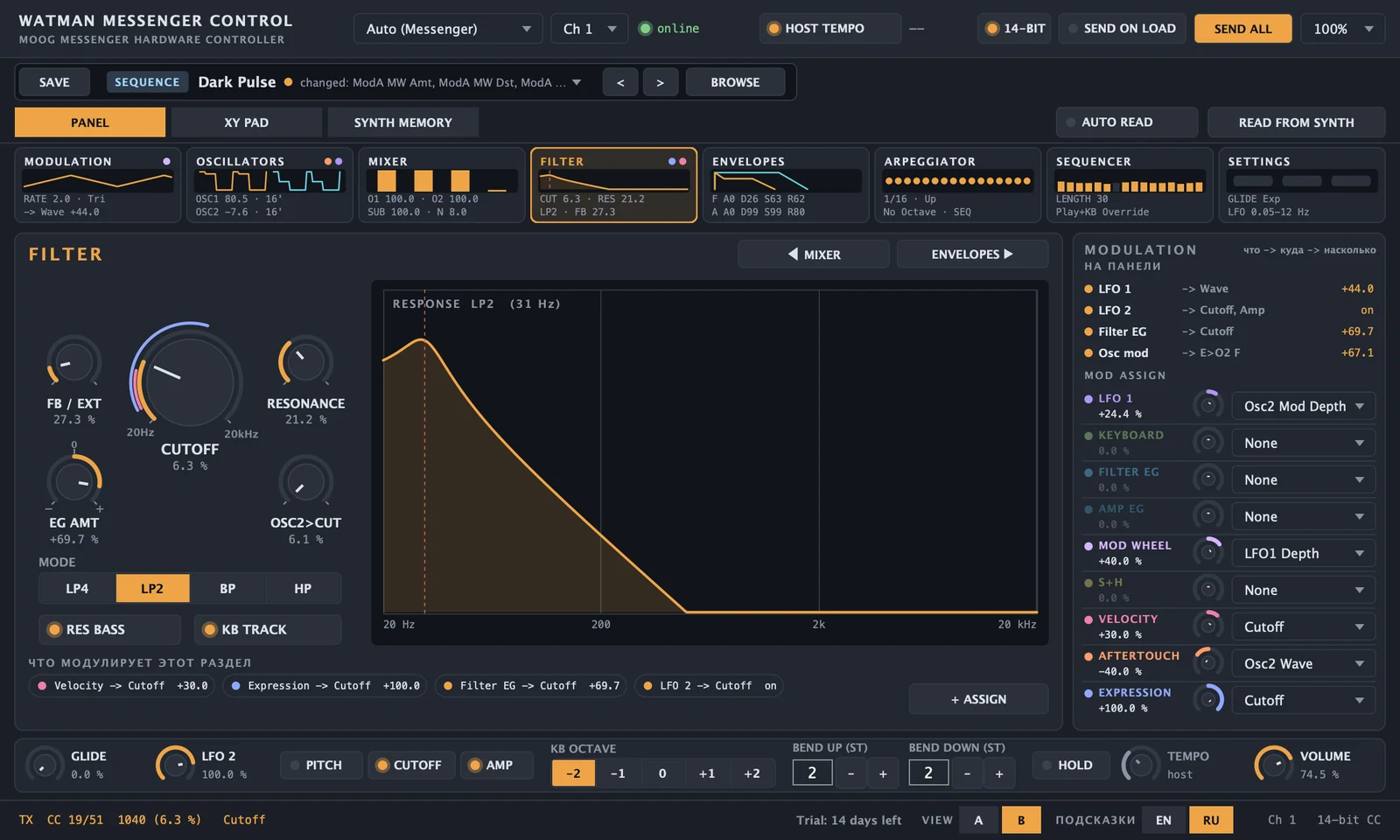
One section, large. And you see how it sounds
- Section strip — a map of the whole sound: eight cards with a mini picture, the main values and modulation dots.
- Picture of the sound — filter response, waveforms, envelopes and LFOs from the live knob values.
- + ASSIGN — modulation in two clicks, depth edited in the column on the right.
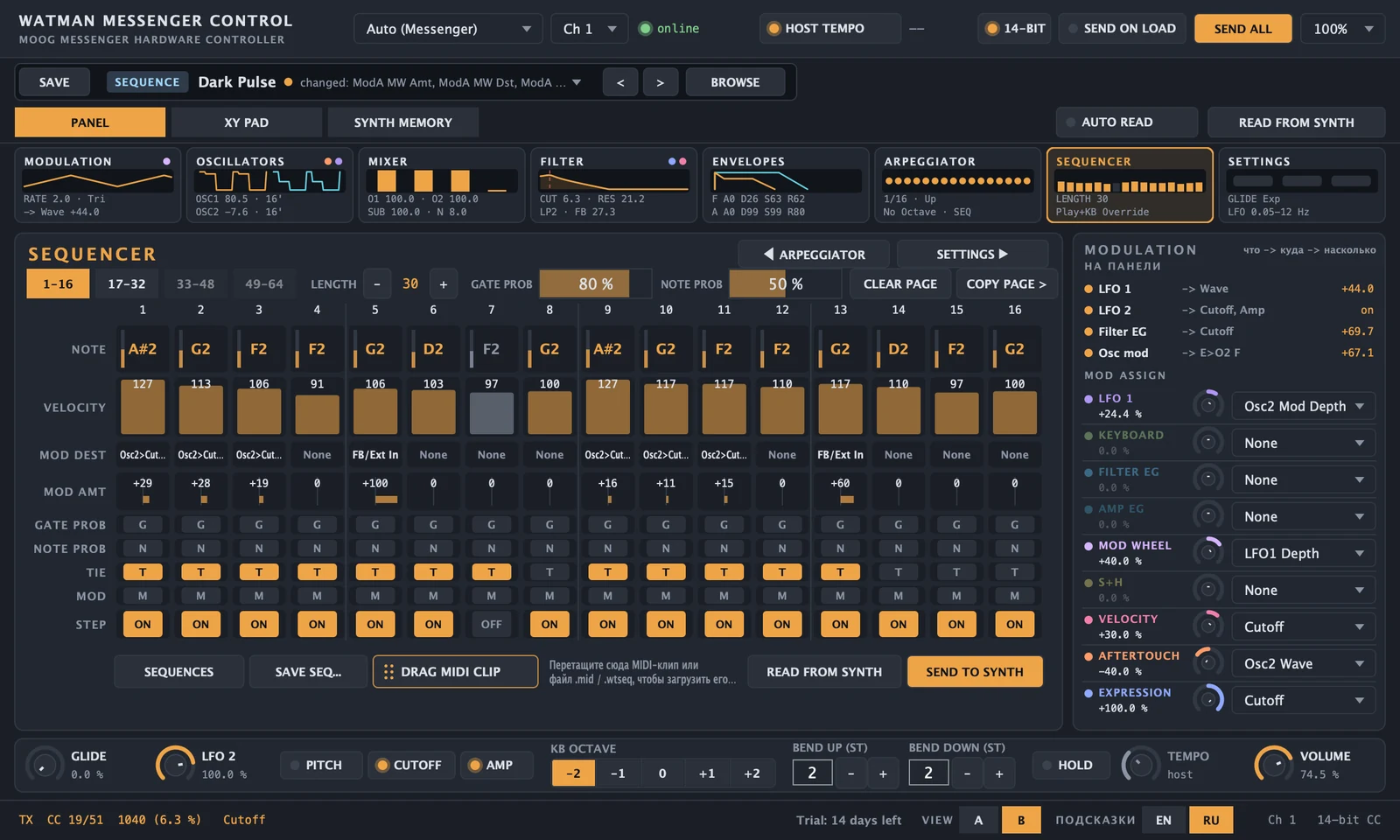
64 steps on screen — and straight into the track
The whole Messenger sequencer: notes, velocity, modulation, probabilities and ties. Every edit sounds on the synth at once.
- Sequence → clip. Drag DRAG MIDI CLIP to a DAW track.
- Clip → sequence. Drop a MIDI clip on the grid and the part goes to the synth.
- Sequence library. One part for any sound.
- Stored in the project. Open the project and the synth gets its sequence.
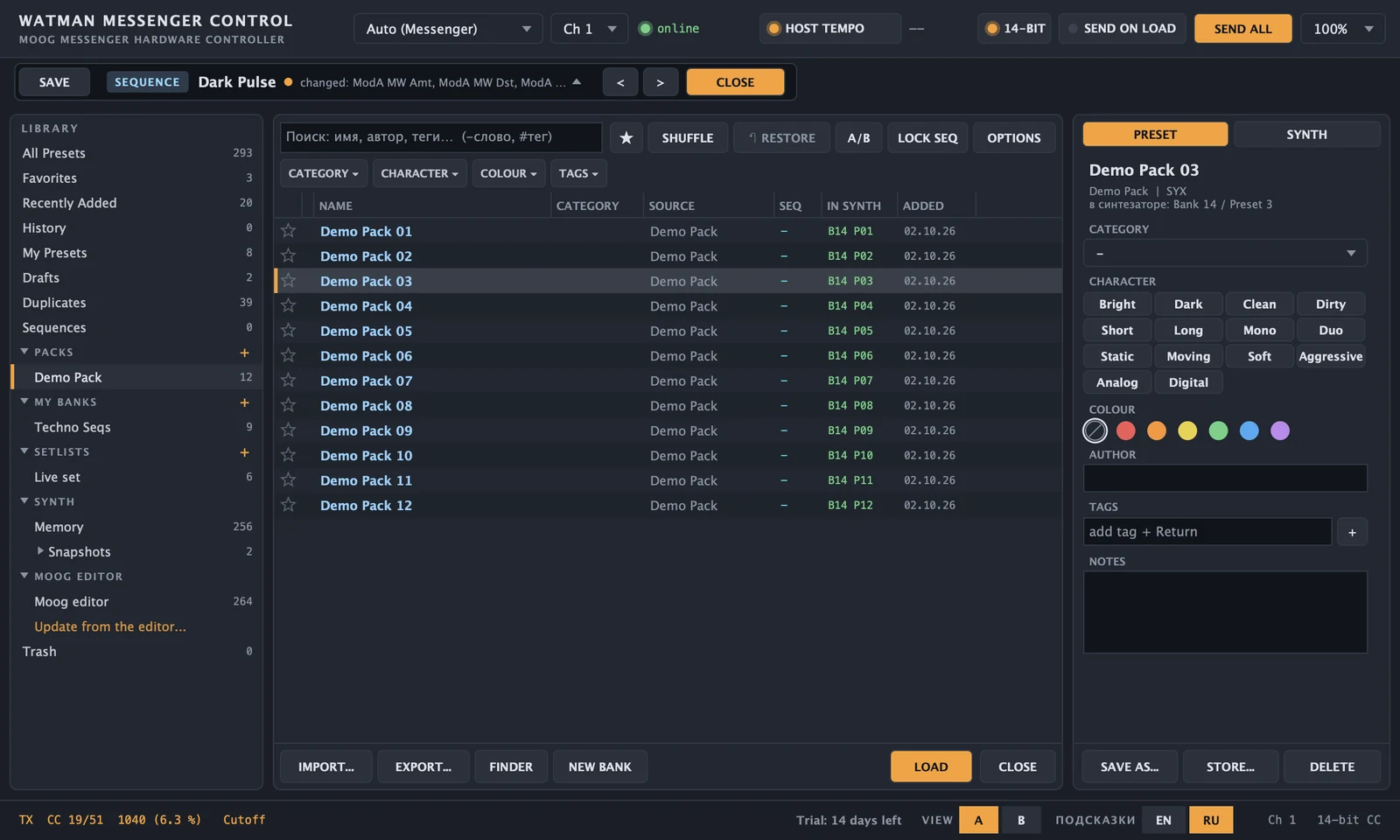
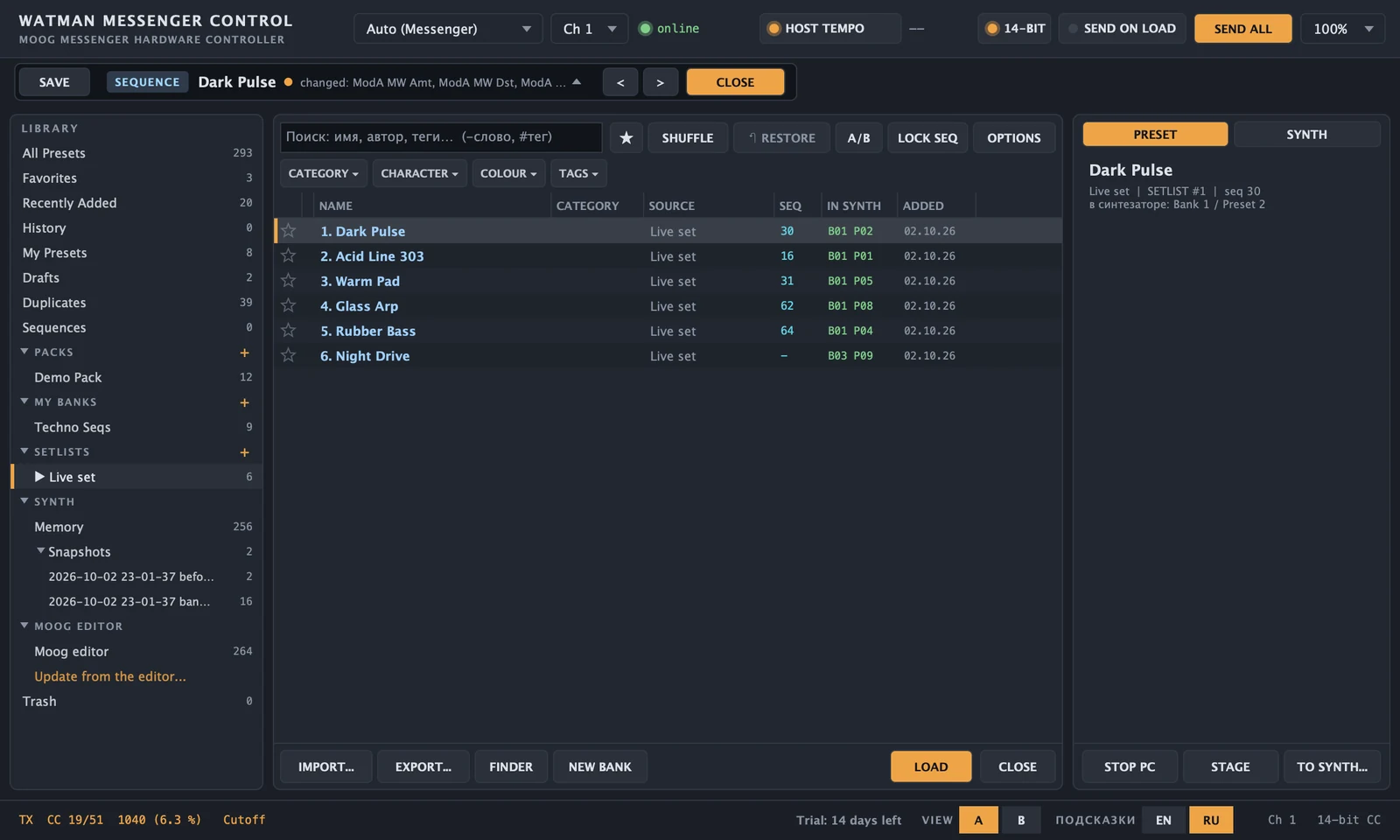
A library where everything can be found
Your sounds, artist packs, Moog editor presets and the synth's own memory — in one browser.
Filters and search
Category, character, colour, your own tags. “Similar sounds” by parameters and sequence.
Without fear
RESTORE brings back the previous sound, A/B compares two, unsaved edits go to drafts by themselves.
Banks and set lists
Your own bank of 16 presets — straight into the synth. A set list for a gig — switching by Program Change.
256 named slots. Writing without risk
The Messenger stores no names — WMC recognises sounds from your library. Write to the synth from the browser by drag and drop, and bring back any slot.
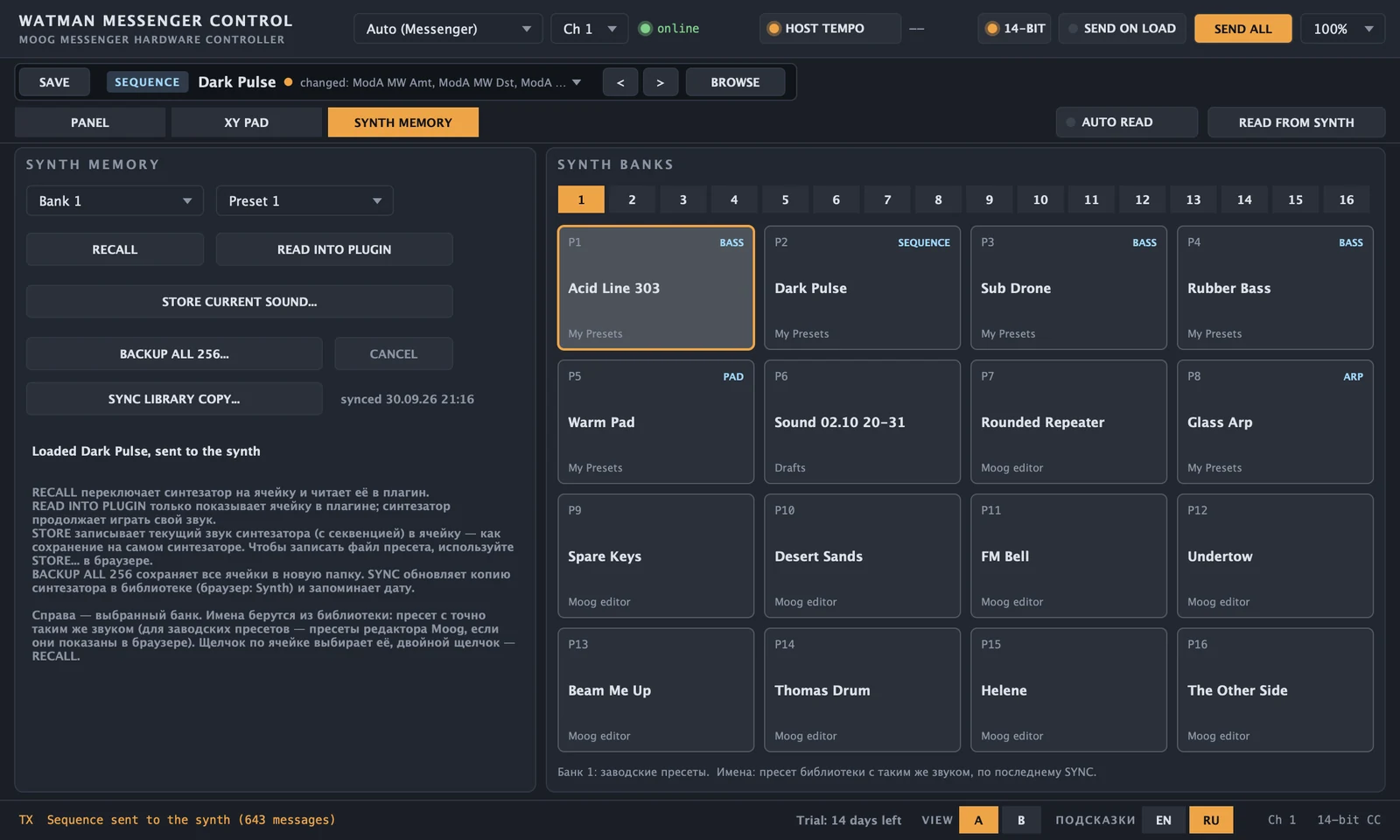
The plugin shows what will be replaced.
The slots being replaced are saved on your Mac.
Only on your command.
Every slot is read back.
Your own bank: 16 positions are 16 slots of a synth bank. Drop presets in, press SAVE BANK — the bank is in the Messenger, with a backup and a check.
Play the sound, not the menus
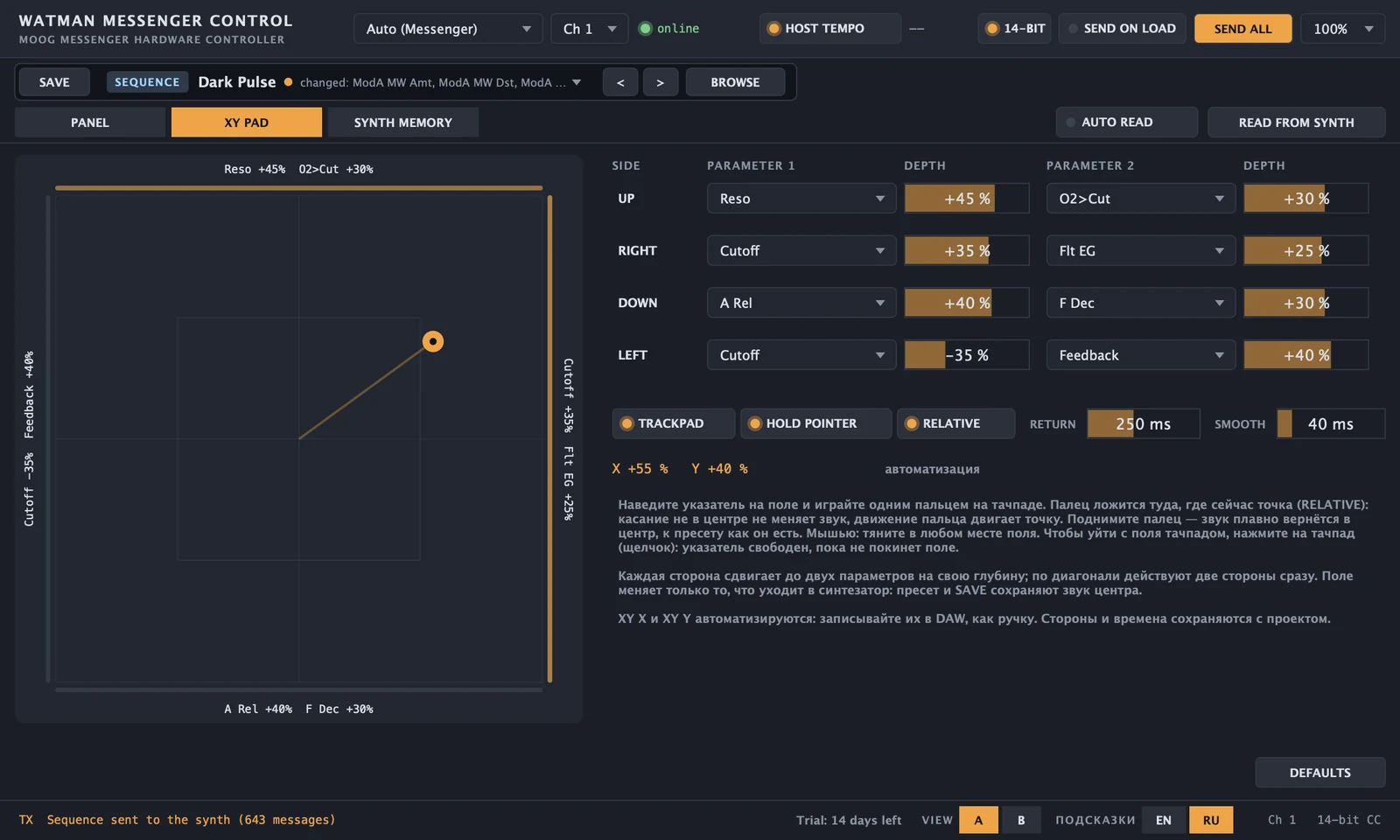
- XY PAD. Move a finger across the Mac trackpad — filter, resonance and envelopes change together. Let go and the sound returns.
- MPE and aftertouch. On an MPE controller, pressure, finger shift and slide become aftertouch, bend and Mod Wheel.
- Automation from the knobs. Turn the Messenger and the DAW records the moves.
- The project remembers the sound. Open it and the synth sounds as on the day you saved.
Requirements
| Formats | VST3, AU and a standalone app — one license for all three |
|---|---|
| DAW | any macOS DAW that loads VST3 or AU plugins |
| Mac | macOS 11 or newer, Apple Silicon and Intel |
| Synth | Moog Messenger over USB; 14-bit MIDI with firmware 1.0.8 or newer |
| Parameters | 103 synth parameters + 2 XY PAD parameters for automation |
| Languages | Interface tips in English and Russian |